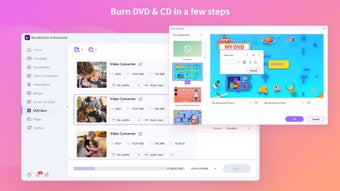
Wondershare Video Converter Ultimate is ideal for managing your videos
Sooner or later, everyone gets stuck with a video they can’t play, or can’t hear, or won’t play on one device but will on another… and that’s when the desperate search for a free video converter begins! There are some hit and miss programs for this task, but one of the hits is certainly Wondershare Video Converter Ultimate and all the basic features are available for free.
Top Recommended Alternative

Everything is in here, from conversion to full HD editing
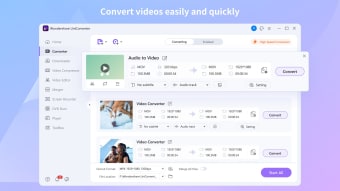
Wondershare Video Converter Ultimate is a multi-use program which packs in a surprising amount of features. Of course, some are locked to premium users, but many are available for free. The main feature of course is video conversion, which is tackled with some very powerful software. The primary claim of this software is 30x faster video conversion, which may not always come to pass, but should be true for small conversions with undemanding settings. Those with device compatibility issues will be pleased to see 159 formats supported here and counting, which also gives you a lot more options regarding file size and quality. 4K is supported too, for those who love a big screen experience. This is backed up by another useful feature, live streaming. So long as your television, Chromecast, console etc. is on your PC’s network, you can use this software to watch videos on your TV without messy cables. In that regard, this software could actually save you money.
Usability as standard
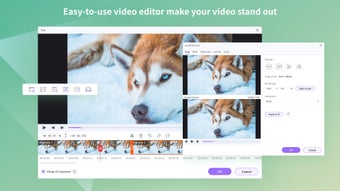
Another concern that faces many people who need to convert video, is the usability of the software. You might know that your .avi needs to be a .mp4, but that doesn’t mean you know all about bitrates, codecs and file sizes. Wondershare Video Converter Ultimate is pretty good for helping with that. You can use the majority of features with a few clicks, applying the default settings, without worrying too much. Advanced users can change the settings to suit preference, though it may take some exploring to find everything. The navigation is a little cluttered and of course you’ll hit ‘premium only’ barriers, but that is to be expected. Fortunately, the majority of features are very user friendly. For example, you can edit movie with very simple tools, adding subtitles or contrast. You can also use the YouTube video downloader with just one click, via an automatic addition to your browser.
Video conversion with minimum hassle
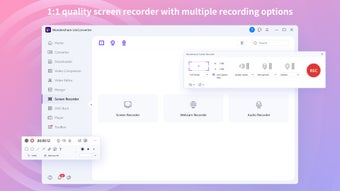
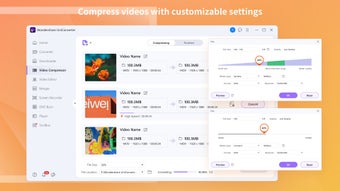
The primary benefit of Wondershare Video Converter Ultimate is the huge amount of features. You can watch the videos you convert with a solid built-in player, you can compress videos while saving quality and even make 2D videos into 3D! The software is easy to use, designed with beginners in mind, though it will take a little learning. Overall, this is one of the best free solutions for video management.